

As above switched to Linux and i am enjoying it i picked Ubuntu as TBH it was the first I came across. The last two times it has prompted me to update has caused a drama. First would only give me a black screen of text so I did a reinstall.
The latest one went fine it updated to 6.17.0-94 but i lost all networking no wifi By the looks of it the problem I have is i have an older device that has nvidia 580 graphics card. I have rolled back for now but questions are;
Is there a way to pre-emt this, as i feel now as soon as i restart it will jump back up and leave me without networking to resolve. its quite a faff trying to find out what to do on my mobile and typing it in the terminal.
Is it better to fix or try another distro?
You must log in or register to comment.
You can boot Linux from a USB flash drive if your main installation isn’t working. That might be better than searching for solutions from your phone. And a bootable USB flash drive is helpful when you can’t boot from the internal drive. I always have one around, just in case, though I don’t use it very often.
Booting from USB flash drive is a bit slow. A USB attached hard drive or SSD will be much faster or, if your internal drive is big enough, you can partition it to hold two Linux installations. Then, when one isn’t working you can switch to the other with just a reboot, as long as it’s not the boot loader that’s broken.
The 580 drivers might just be the default for nvidia. I have two computers with nvidia GPUs that are like 10 years apart in age, but both look like they’re running 580 drivers.

I don’t really know what’s wrong with the networking though. Maybe try updating from terminal if you haven’t?
sudo apt update && sudo apt upgradeGTX 580? Maybe you have to install an older driver, like the 470-series of the driver appears to support it: https://www.nvidia.com/en-us/drivers/unix/legacy-gpu/ Ubuntu has a bunch of older series of nvidia driver you can install for this purpose.
That would not explain your networking though. Unless that is also some older hardware too… But, a common thing to do as a new user in linux may be to find posts which answer “how do I install x in ubuntu” and they usually involve editing files under
/etc/apt/sources.d/. This can wreck your system in this kind of way, so: have you done that? Or this is pure ubuntu, just regular apt update/upgrade and some apt installs?Not altered anything just saw the pop up for update now…which i did and all looked to be fine, aside from the no networking.
I tried the install extras option and that’s when i got the 580 errors. I might be wrong that they are the problem.
Also, do you NEED the Nvidia drivers? Are you gaming and trying to squeeze every last bit or is it just a display output? Cause if it’s the latter the open source nouveau drivers will work just fine with that card.
Are you dual booting Ubuntu with Windows? Because Windows fast boot causes that behavior.
No i only have ubuntu on the device
Did you disable fast boot in the BIOS? Just removing Windows won’t do that.
I thought i completely removed windows when i did the install. I was mac in a previous life. I picked up a old pc that had a fresh install of windows and i thought i just installed linux straight over it…when it asked if i wanted to install over the full drive.
I will try and find out…
It doesn’t matter what you do on the hard drive, you need to go into the BIOS to disable fast boot.
How to do that depends on your PC, search the web for your PC brand and model.
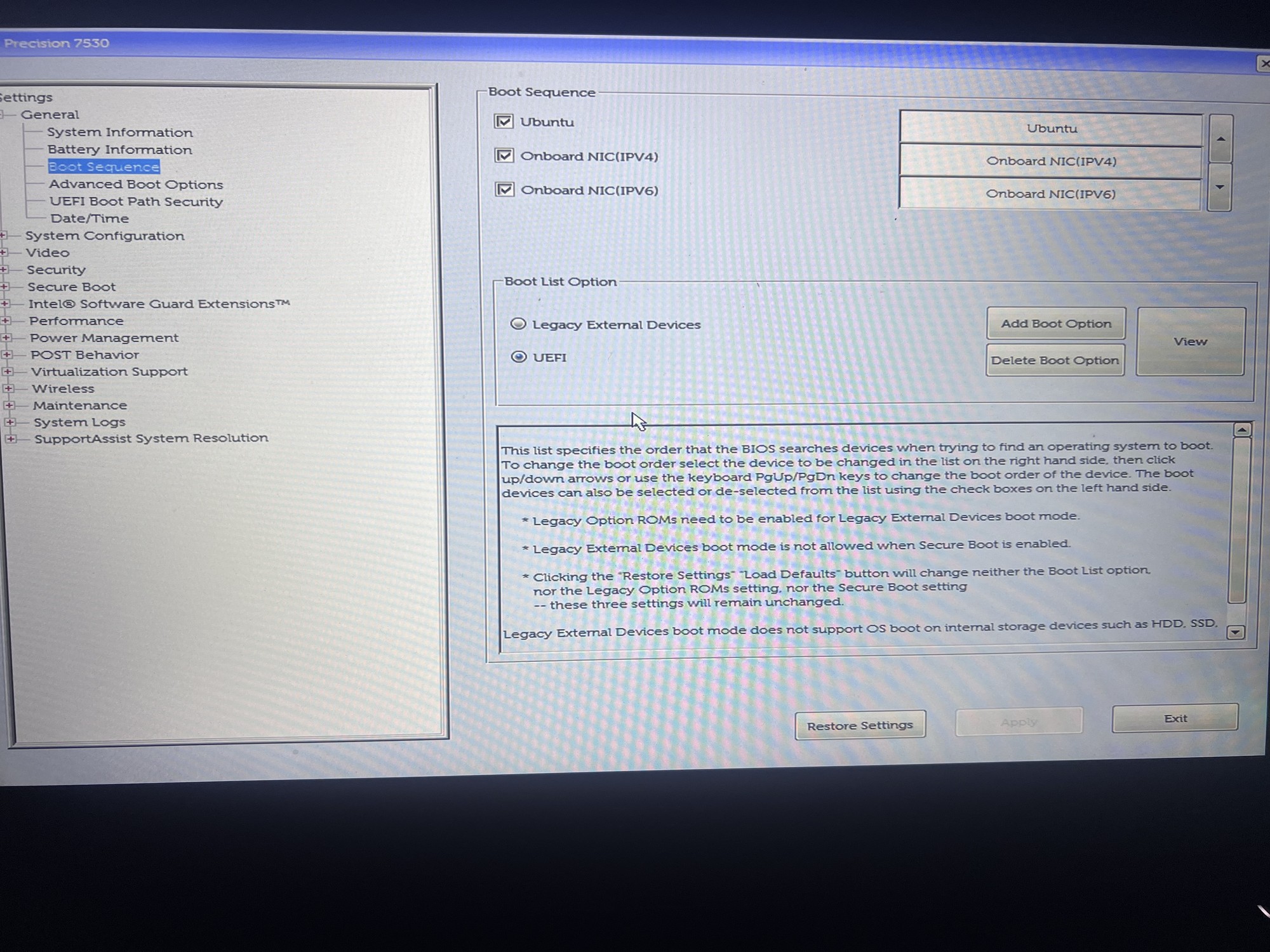
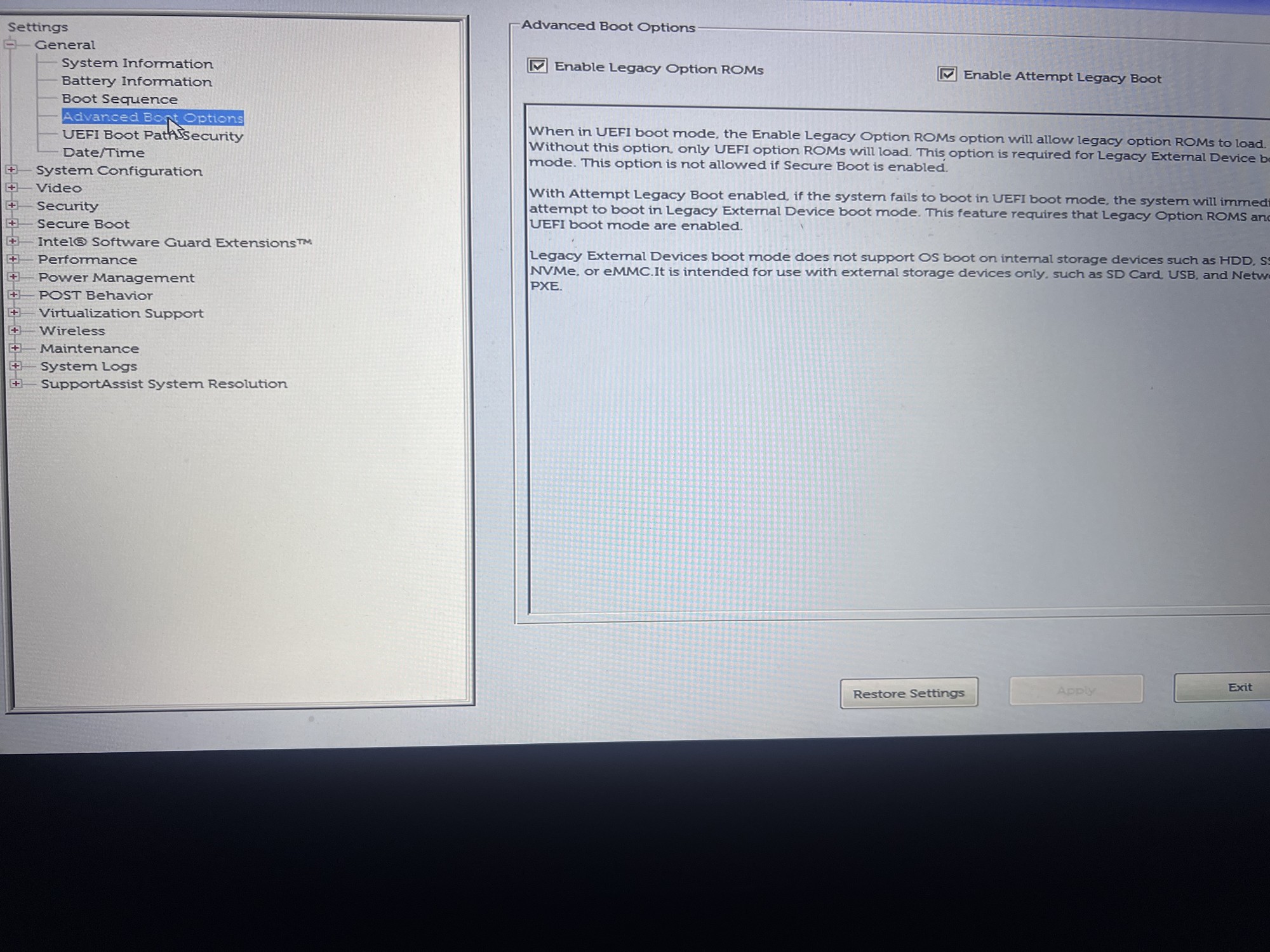
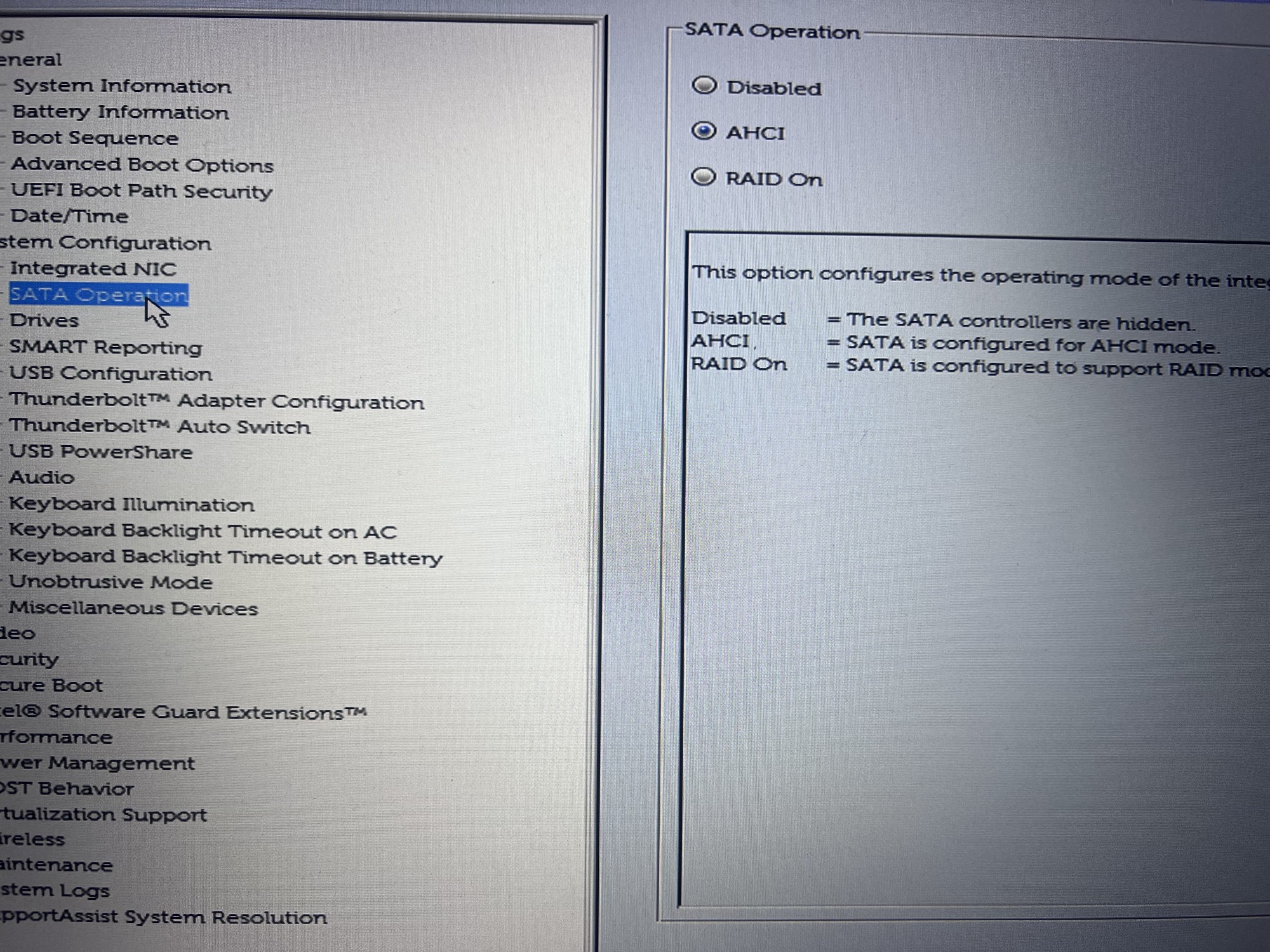
Okies am I in the right place? and i really appreciate the help by the way to all posters.
I don’t know which network manager Ubuntu uses, so I’m not sure whether this applies to you. I’m using Arch with the network manager
systemd-networkd. I set it up manually from the CLI by creating a so called.networkfile in the/etc/systemd/network/folder.To “setup” and start using
systemd-networkd, dosudo systemctl enable --now systemd-networkd.service. You will probably also need to setupsystemd-resolvedwithsudo systemctl enable --now systemd-resolved.servicebecause some services and/or programs need this for domain name resolution.Then, check out point 3.5 on this page in the Arch Wiki: https://wiki.archlinux.org/title/Systemd-networkd
Use the section that applies to your setup depending on whether you are wired, wireless or both.
This of course assumes that Ubuntu doesn’t use another network manager.
Here is a list of common Linux network managers if the above wouldn’t apply.
Maybe try a few distros on a live usb to see which work well with the hardware.
That’s what i thought, it is good excuse to explore. I am just a bit frustrated as a new user to be bumping into roadblocks so early in my linux journey
I was on Ubuntu for like 3 years, a few days ago switched to Debian. I installed Ubuntu because I thought it would “easy” and “just works” and all that. I’m not very computery person, I know some basics but I’m mostly confused about everything.
What I’ve learned from using Debian is I should have just gone for that from the beginning. Its not that different and somehow it feels nicer and more capable. If your Ubuntu keeps giving you grief, try Debian or whatever you think looks nice.
Thanks i will take a look. I like the toy story themes.
I like the toy story themes.
Haha did you see this alread: https://lemmy.world/post/44238448
The trade off is that you’ll have to get used to troubleshooting and configuring a bit on your own, but the reward is that you are no longer an involuntary product of Microslop. :) Don’t get discouraged, be patient!


