Unless the user is actively navigating, the header is dead weight. The header should hide on scrollDown and reveal on scrollUp. Let the content breathe.
This one I actually hate. Often I just want to scroll up a few pixels, either to satisfy a mild compulsion or to align the content so I can see most of it. This is completely ruined if the navbar pops back in. Leave it at the top of the page, where it belongs, not at the top of the viewport!
100%. i like using the top of the screen to mark my place in reading. sometimes i need to scroll back up and these headers completely fuck up my reading experience.
but luckily Reader View exists, so i usually just use that.
I feel your pain. The really good ones plan for this, some pop up immediately when you scroll up and that sucks. The proper thing to do (imo) is to wait for the user to scroll 80% of the viewport back up, only then letting it begin to slide in, and have it slide in at a rate 1/2 of the page scroll. I do like having it easily available, but it should feel like it’s trying to stay out of the way.
The iOS browser has always supported “tap the top of the viewport to scroll all the way up,” which largely allows for what you say: just leave the nav way up there. Last time I looked was years ago, and Android Chrome didn’t did this. Does it now?
It’s not obscure. It’s core. Apple has this entire UI philosophy called “revealed power” which is about the UI not having a big button for everything necessarily, and letting the user discover added layers of functionality as they go on. This keeps the UI simple in the beginning, or for people who always need simplicity, but allows others to discover more in time. You don’t have to like it but it’s very intentional.
What’s “discoverable” is also relative. I was on a PC today struggling to figure out how to do something. Eventually I tried double clicking the element in question and that finally worked. I thought wow I don’t use PCs much anymore because double clicking hardly even occurs to me anymore. Can you tell me how any user ever finds out that you need to double click an icon on their desktop? Seems obvious, but there is no label or visible indication that this is what you should do. You’re thinking pshaw that’s obvious, but how did you learn? I’d be very surprised if you can remember.
Can you tell me how any user ever finds out that you need to double click an icon on their desktop?
I completely agree with you on this. I hate that Windows doesn’t disclose what areas can be clicked anymore. It used to, back when computers where new. Nowadays if you wanted to show a new person how to use a computer, you’d have to very explicitly explain things that would’ve been obvious from the looks just 10 years ago. (Ok, maybe 15.)
What is a new Apple user supposed to do? Try all of the 30-ish gestures one can make on every side and every corner of every app? That’s just stupid.
I explained this above but their design philosophy is that a user shouldn’t be overwhelmed with every possible function on day 1, nor will they have advanced needs on day 1 like “how can I more quickly scroll to the top to reveal a navbar.”
The idea is to make what’s most needed most visible, and tuck more advanced functions out of the way of basic ones. Then users will discover them over time, either by accident, experimentation, from a friend, or reading tip lists off the internet…
Now if this is a conversation in good faith, you won’t immediately say “so they expect everyone to learn everything by reading tip sheets off the internet??”


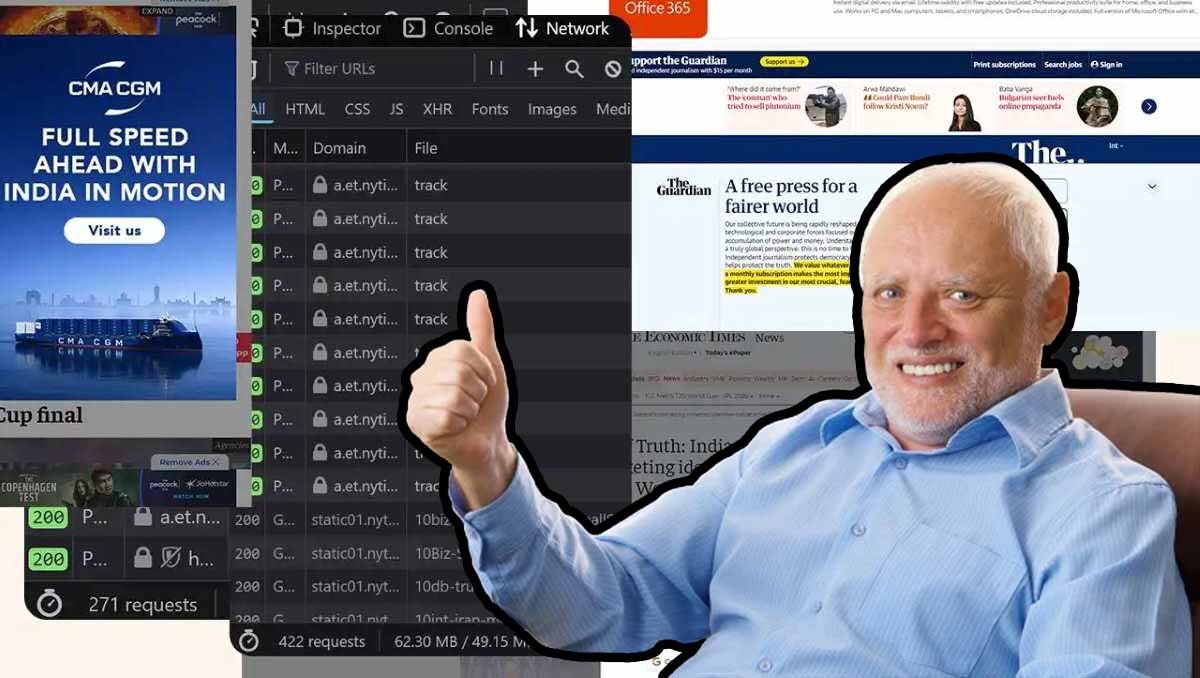
This one I actually hate. Often I just want to scroll up a few pixels, either to satisfy a mild compulsion or to align the content so I can see most of it. This is completely ruined if the navbar pops back in. Leave it at the top of the page, where it belongs, not at the top of the viewport!
It really depends on the site for me.
What I really hate is a table that’s multiple scrolls long where the header row doesn’t follow.
IMO the header should stay at the top as part of the page. I know where it is, I’ll scroll up to it if I need to.
Like you, I find a header appearing and hiding quite difficult in specific circumstances.
100%. i like using the top of the screen to mark my place in reading. sometimes i need to scroll back up and these headers completely fuck up my reading experience.
but luckily Reader View exists, so i usually just use that.
I feel your pain. The really good ones plan for this, some pop up immediately when you scroll up and that sucks. The proper thing to do (imo) is to wait for the user to scroll 80% of the viewport back up, only then letting it begin to slide in, and have it slide in at a rate 1/2 of the page scroll. I do like having it easily available, but it should feel like it’s trying to stay out of the way.
The iOS browser has always supported “tap the top of the viewport to scroll all the way up,” which largely allows for what you say: just leave the nav way up there. Last time I looked was years ago, and Android Chrome didn’t did this. Does it now?
And almost every actual PC has a ‘home’ key on the keyboard which does the same … unless the website has scripts that hijack it.
Even if it did, how would any user ever find out about this obscure feature?
It’s not obscure. It’s core. Apple has this entire UI philosophy called “revealed power” which is about the UI not having a big button for everything necessarily, and letting the user discover added layers of functionality as they go on. This keeps the UI simple in the beginning, or for people who always need simplicity, but allows others to discover more in time. You don’t have to like it but it’s very intentional.
What’s “discoverable” is also relative. I was on a PC today struggling to figure out how to do something. Eventually I tried double clicking the element in question and that finally worked. I thought wow I don’t use PCs much anymore because double clicking hardly even occurs to me anymore. Can you tell me how any user ever finds out that you need to double click an icon on their desktop? Seems obvious, but there is no label or visible indication that this is what you should do. You’re thinking pshaw that’s obvious, but how did you learn? I’d be very surprised if you can remember.
I completely agree with you on this. I hate that Windows doesn’t disclose what areas can be clicked anymore. It used to, back when computers where new. Nowadays if you wanted to show a new person how to use a computer, you’d have to very explicitly explain things that would’ve been obvious from the looks just 10 years ago. (Ok, maybe 15.)
What is a new Apple user supposed to do? Try all of the 30-ish gestures one can make on every side and every corner of every app? That’s just stupid.
I explained this above but their design philosophy is that a user shouldn’t be overwhelmed with every possible function on day 1, nor will they have advanced needs on day 1 like “how can I more quickly scroll to the top to reveal a navbar.”
The idea is to make what’s most needed most visible, and tuck more advanced functions out of the way of basic ones. Then users will discover them over time, either by accident, experimentation, from a friend, or reading tip lists off the internet…
Now if this is a conversation in good faith, you won’t immediately say “so they expect everyone to learn everything by reading tip sheets off the internet??”
I have this usercss:
[data-testid="header"],
[data-mobile-fixed="1"],
[data-remove-fixed="0"] {
  position: absolute !important;
  width: 100%;
}
main { padding-top: 2rem !important; }
Works well enough on most sites. And on those it doesn’t, you can easily exclude.
Can likely be expanded, but adding just
headerbroke more than it fixed.I like it at the top of the view-port, but I agree the auto-hiding/showing feature is excruciating.
At the same time, it needs to be comfortably thin.