

59·
1 day agoFinally, representation for gay people who are into irony.
Hello there!
I’m also @savvywolf@furry.engineer , and I have a website at https://www.savagewolf.org .
He/They
Finally, representation for gay people who are into irony.
dd is completely safe.
Only if you have the correct args and device names. Make a backup if you want to do it from the command line and aren’t feeling 100% confident.
When I’ve needed to transfer data over to a new disk, I’ve used gparted from a live usb to copy/paste partitions directly. Once that’s done, you’ll probably need to update /etc/fstab to point to the new drives and run update-grub (assuming you are using grub) to update the bootloader config.

… You know you can just create a community and post stuff there, right?
Thank you! Could this be permanent? People can use an AskLemmyPolitics community if they really need to.
Scotland. I forget which vote it was for (either the independence referendum, brexit, elections, etc.) but maybe 5-10 mins. Other than that one it’s been mostly a ghost town.
… Huh, we’ve been to the polls a lot recently, haven’t we?

Why do they need information about the hostname? Is it really valuable for them to know how many systems are named daves-pc?
A lot of these machine learning models have been trained on art without their consent.
The entire AI art industry is basically rich megacorps exploiting small artists (who usually don’t make much income) to fuel their ever growing profit machines.
Fennec (the f-droid version of Firefox) on android. It’s not been updated in a while though, which is concerning…
Why should we meddle in the affairs of dolphins? By suggesting or mandating a particular style of democracy, are we not undermining their right to self governance?
If we were asked for advice on how best to do it (since it should be plain to see that we know what not to do), I’d maybe propose the AMS system we use here. There’s a stv system for one local representitive, then there is a list vote to fill up the rest of the seats in a proportional way.
I’m not up to date with American politics. Do you pre-drink before third party or is the second party enough to give you a buzz?
Your voting system is broken. You can present yourself as a hero who is fighting against the system, but all you are doing is letting someone who will commit more atrocities into power.
Elect Harris. Protest peacefully. Put pressure on her that way.
One thing I heard from somewhere is to pick a random word. Then for each letter in it, think of a random animal. Then pick another random word and repeat.
Supposedly this mimics the brain activity during sleep and dreaming, which tricks your brain into actually sleeping. No idea if it’s effective or not though.
I tried Cosmic and quite liked it. Just waiting for them to add a gnome 2 style window list widget with the window names.
There is, but I use a hipster keyboard layout and they don’t support alternate keyboard layouts yet.
The lack of primary selection/middle click paste. I select text, try to paste it and then have to sheepishly go back and actually copy it for realsies.
I used to get annoyed at the lack of multiple workspaces, but since switching to a multi-monitor setup, I don’t really use multiple workspaces any more.
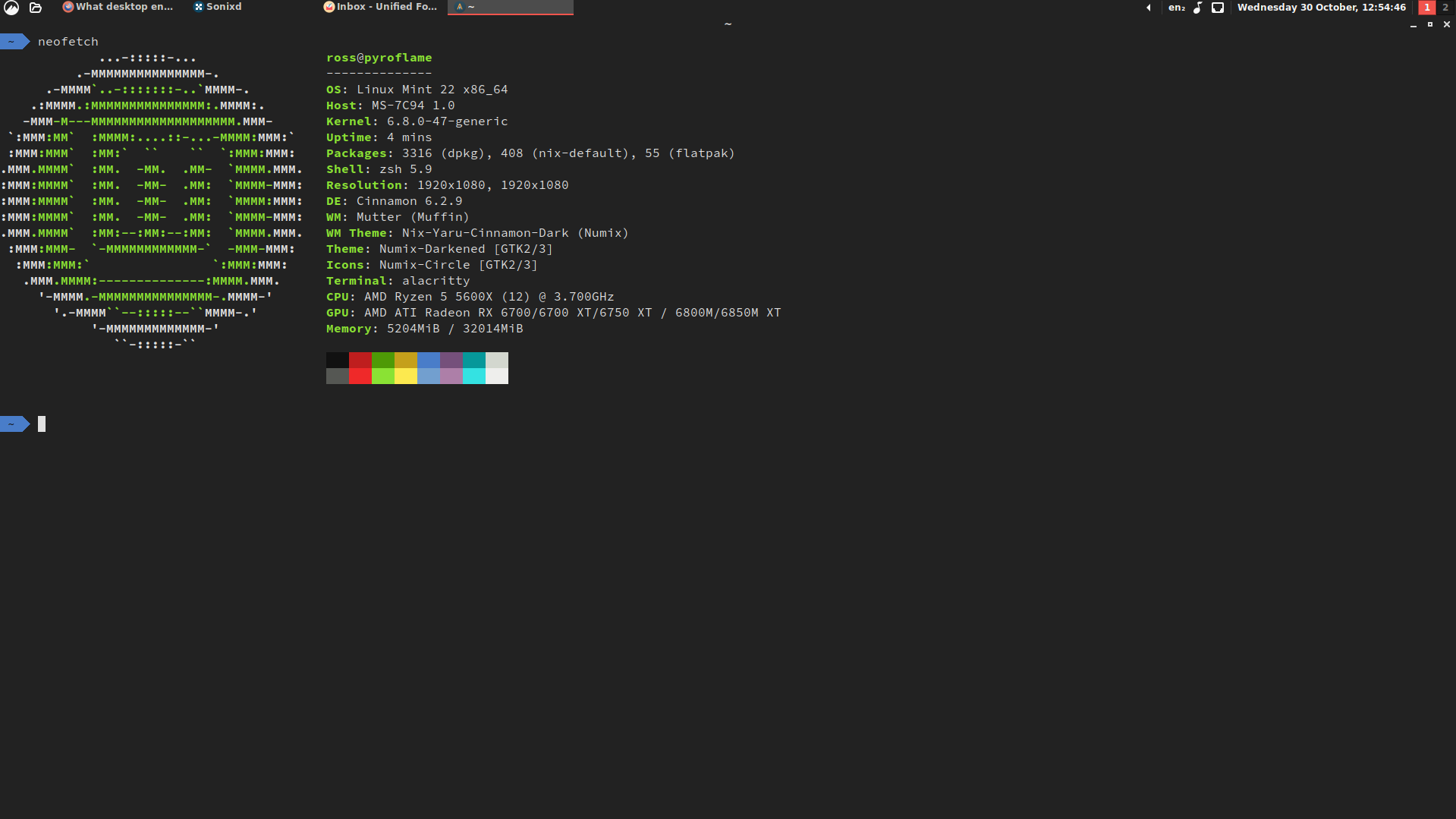
Cinnamon. Desktop environment peaked in the Windows XP/Gnome 2 days and everything else is just change for the shake of change. :C
My only annoyance is lack of Wayland support. Tried out cosmic, but it doesn’t have the Windows XP/Gnome 2 style window list.
Screenshot for anyone interested:
If there’s a post or something on another instance but not your one, you can enter the full URL into the search bar and it will fetch it and make it available on your instance (unless defeds get in the way).
Works on both Lemmy and Mastodon.
If it turns out to actually be a problem, people can just fork Linux itself.

In his defense, it isn’t really a fishing game without bait.