You must log in or register to comment.
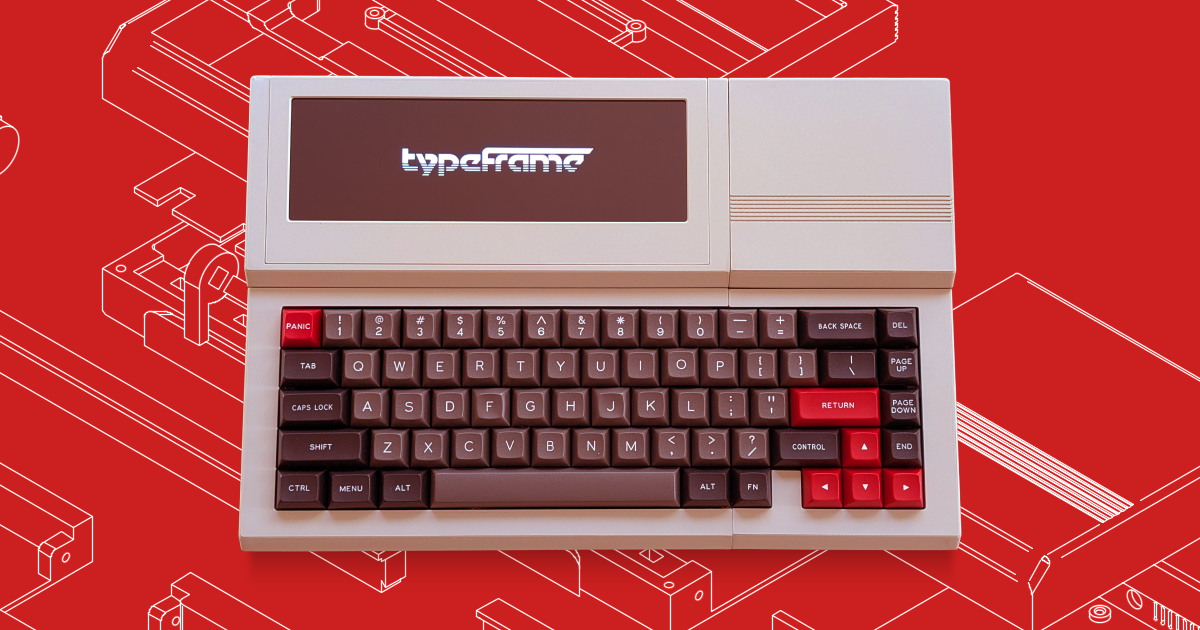
That keyboard looks really nice, but the placement of the R CTRL would cause me fits.
Do you actually use the right control or shift keys? I do always touch type but I pretty much only use the left modifier keys.
Right shift, but not right control.
I personally don’t use the Right ‘anything’, like ever.
I’m a different person but I sure do.
Yeah. Right Control should be where Fn is for sure.
And as an ISO keyboard user, I need my right Shift key, so that Control has to be a Shift instead. On ISO, left Shift is small and right is large. For that and other reasons I use the right one way more than the left. And if that’s not possible for deep technical reasons, hard-wire it to the left one bypassing all of the trouble. It wouldn’t be the first time a keyboard did something like that.
… and what do you know, there’s a even little space there with no key where they could put the Fn key omitted by those changes.
Everything else I could deal with. Even the otherwise US layout. It’s been a while since I used one, but occasionally there’s a hiccup and I’ll reach for double quote or at-sign in the opposite places, so that muscle memory is still there, maybe waiting for mangling into typing on something like this.
Oh, oh! That’s not a brand sticker, it’s a display screen! Nice!
It looks nice, but I don’t get it. What’s the use case ?
Distraction-free typing work like writing or coding
An antique mechanical typewriter is the best thing I’ve found for writing. Useless for coding, so there’s the product above for that
Although, if you mean to share or edit or anything that would require digitization, you’ll need to transfer your typed pages as an additional step.
You can write code on a typewriter just fine. It’s compiling it that becomes an issue.
Thanks. I guess for writing I can see the point. But isn’t the screen small for coding ?
The one in the link is a 7.9 inch touch screen, looks actually pretty decent, size-wise: https://www.waveshare.com/7.9inch-dsi-lcd.htm
I love the design and idea behind these things, I just wish I had a good excuse to use one.
I think its a version of the Raspberry PI 500+.
Missed opportunity to add a trackpoint.
I might have misunderstood the intended use for this, but is there any way to connect a mouse or a monitor? From the picture gallery, it seems not, but I could see myself using something like this without the monitor and the mouse while I’m out and then connecting it up when I’m home.
No numeric keypad. Useless.
Just wondering why numbers aren’t a modifier layer over the letter area? Instead we have a modifier for duplicated functionality in the dedicated numblock.
I’m very happy with alternative layers for numpads and such now. It does depend on the use case I guess.
I have always loved the concept of computers like this one.
I have a picocalc on order but I am aware I am unlikely to make such a restricted use platform work for me day to day.
I also have a GPD MicroPC 2, its just about perfect for me for actual travel usage as its just a small PC, and when plugged into a docking station will drive 2x4k screens fine. It fixes everything I do not like about smartphones, I just want it smaller still but the keyboard is already a big compromise for me.
However I like the fact its based on a PI as it has a wide range of options for expansion and a large base of support to take it further if you need it to.
Looks a lot like the BBC Micro. Cool design choice.
Nice ad bruh.
It’s open source and not for sale
That doesn’t stop this post from being an advertisement for it. It’s a notice to make people aware of a thing.
deleted by creator
With that definition
You mean the actual, dictionary definition of an ad?