
I once heard an American say something “weighs as much as a 2 liter bottle” and it made me raise an eyebrow.
- 1 Post
- 332 Comments
Joined 3 years ago
Cake day: August 7th, 2023
You are not logged in. If you use a Fediverse account that is able to follow users, you can follow this user.
My parents live in a rural area and they have hundreds of multicoloured Asian lady beetles crawling in their windows and in the house.
I have a cabin in the same region and the inside of the walls are filled with their corpses. They agglutinate by thousands in fire wood and I burn so many. They are everywhere and kind of annoying.

I don’t think AI will take a lot of jobs. It could happen but I don’t see it.
Even before AI these things could happen. I just watched a documentary on lighthouse keepers and the disappearance of their job because of automation and LED lights. When I was a kid, well before “AI”, they were telling us that computers amd automation would take most of the jobs.
Translators would be a thing of the past! Yet, machine translation still sucks. Sure it reduced the amount of translators needed, but they’re still needed. AI translation can’t even make the difference between a common and proper noun. It’s making slop.
I work in tech support and customer support. I’ve been told many times that automation and AI would take my job, but so far computers are bad at that. I have scripted myself out of certain tasks at work much before any AI could do it, and it just freed me and my coworkers for other tasks. A big part of my work is understanding what people want and what went wrong, and AI is absolutely not there yet.
Although I can see the effect it has on the industry and job market as enthusiasts are trying to push it everywhere they can, I doubt it will replace lots of work. AI can be a good assistant and help on some tasks, but it still can’t read a piece of paper properly. It’s not even good for data entry.
All those “AI will replace a lot of jobs” claims are exaggerating. Sure, it will happen for a few people in small numbers, slowly. But not like what tech bros are predicting.
And I even pasted the wiki article. Thanks, I corrected it.

I don’t know if he counts as a celebrity but, Aaron Swartz.

 8·23 days ago
SSH in first place. No explanation needed.
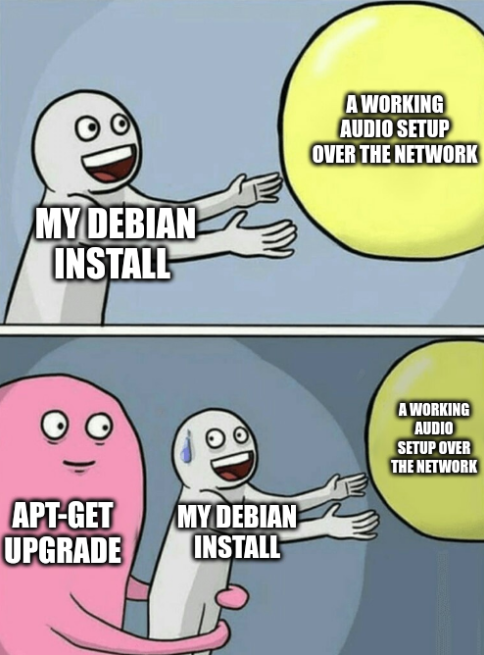
But also MATE and Pulseaudio (yes). I really like paprefs, pasystray, and how easy it is to send audio over the network. To the point where I reinstall Pulseaudio instead of Pipewire, because Pipewire requires long command lines for what was easily done in a few clicks with Pulseaudio.
I dread the day where I will be forced to “progress” to Pipewire and lose that easy feature.
In the end though, it’s not making much of a difference aside from nostalgic value. There’s a minimal maintenance to it too. My parents still have the cassettes and the Betamax VCR stored somewhere. Physical photo albums also have to be stored. We don’t want to get rid of them but they’re kind of useless now. It’s around 200 GBs of files to be kept.
It’s also a bit cringe to see yourself being a stupid kid on video. Or read what you wrote in a journal on a floppy disk in the mid 90ies. I went to watch a few minutes because we mentioned it but it’s not something any of my family members return to regularly. It’s just stuff that now sits there. Nice and nostalgic to watch every few years or decade, but not healthy to keep returning to it.
Lots. I was born in the 80ies and my parents took lots of pictures when I was a baby. My sister was born a few years later, and there was also lots of pictures. We have albums full of pictures that I ended up scanning and digitizing. My father was also somewhat of an enthusiast for video cameras and he bought a BetaCam by the end of the 80ies, and a few other ones until the beginning of the 2000s.
So I have videos of my childhood from my first years of school to being a teenager. He was filming at Christmas, at birthdays, and sometimes at random events. He often just set the camera in a corner and filmed for the length of a Beta tape.
I digitized all of the Beta cassettes into mp4s during the pandemic and now I offer USB drives to people of the family that don’t have any videos of when my grandparents were alive.
Plus, my maternal grandfather also filmed some gatherings and events. So I also have digitized videos of them in the 60ies and 70ies.
Ironically most of us never liked to be taken in photos, or filmed, but I’m kind of glad we still have them. If I compare to my friends, apparently, I have a “treasure trove” of videos and pictures.
This is nice but not an option for me. This won’t pass through any chicane of the cycling network and I wouldn’t be able to leave my town. I also wouldn’t have any space to store it when not in use. Plus, I’m usually doing multi day trips that amounts to more km than what an electric bike can do on a single charge in a day, and pulling a camper behind would reduce even more the possible range.
I fantasized a lot about campers like this, thinking I could leave it at my parent’s and tour my native region. But again, chicanes… chicanes everywhere.
I would have to use the roads, with cars, and be very limited in range compared to what I’m used to. So unfortunately, as nice as this seems, it’s not really an option.
EDIT: Here’s an example of a very tight chicane on a remote rail trail.

You can physically live in a car but depending where you live, this might me illegal or difficult to do legally. You don’t have an address and governments usually don’t like that. And it’s also not always possible/legal to park a car somewhere a sleep in it.
Still, motonormativity makes living in a car much easier than just roaming around with a tent. There are exceptions here called “relay villages” where people can legally park and sleep in their car or RV for the night. I love touring on my bike and some rail trails are going through those villages. And obviously you can sleep in a car there, but not pitch a tent for the night if you just have a bike. I’m so jealous of the privilege of people with RVs and cars sometimes.
Is it bad that in all this I see the slim possibility of a world weaning itself from oil? Maybe more and more nations will be pushed to a rapid investment in renewables and gain energetic independence from oil producing countries. It might even have a positive impact on the environment.
Most of the world will probably continue to be dependent on oil, and just pay the price in blood, but one can dream.
Also, it’s an interesting time of you like geopolitics, changing alliances and failing empires.
I’ve always been cynical so times are not especially bad. I was kind of expecting this. Times are just bad because it’s hurting the wallets of the middle class at the pump, but I’ve always been poor and frugal so to me this is just normal. I have no car with an insatiable appetite for gasoline that comes from the suffering of other humans or animals. I have no house to lose. No land. No condo. No retirement plan. Let it crash and burn.
Maybe a glimpse of hope, renew and progress can grow out of the ashes. But probably not. I’ll just be there to watch along, satisfy my curiosity, and feel smug if I’m right.

The biggest issue I’ve had with my Pinebook Pro is getting any external display to work. I have bought multiple dongles and none of them are working. In fact, there are multiple smaller issues all different depending on the OS installed. I settled on Manjaro but wifi stops working after coming back from suspend, and it needs to be rebooted. The speakers are weak too.
And there’s software compatibility. Most of the software have ARM packages in multiple versions, but sometimes it doesn’t exists or can’t work. Like wine.
It’s not very polished and it requires knowing tech and Linux a good deal. It’s functional enough and could be useful for development, but I wouldn’t recommend it as an everyday laptop.
I tried to have it nearby and use it from time to time but I just end up getting back to my x86 laptop.

I know this is a meme community but I was curious about this. It seems some birds do get burned, but not blasted. It varies a lot depending on the installation and it can also be mitigated. Also, the amount of birds dying from this is significantly lower than just the amount of birds hitting windows. For the benefit of other curious people, I’ll try to condense the relevant information from wikipedia and the sources.
In more general terms, a 2016 preliminary study assessed that the annual bird mortality per MW of installed power was similar between U.S. concentrated solar power plants and wind power plants, and higher for fossil fuel power plants.

How it was calculated for fossil fuel
Sovacool estimated avian mortality from fossil fuel power plants across the United States as a result of collision with infrastructure, electrocutions, pollution and contamination, and climate change. In addition, Sovacool estimated climate change-induced avian mortality (in terms of habitat loss and changes in migration) predicted to be the result of fossil fuel power plant operations.
A preliminary assessment of avian mortality at utility-scale solar energy facilities in the United States: https://www.sciencedirect.com/science/article/pii/S0960148116301422?via=ihub
Review of Avian Mortality Studies at Concentrating Solar Power Plants: https://www.osti.gov/servlets/purl/1364837

It’s not a privilege. It was standard before those shitty delivery services appeared. You should have higher expectations instead of considering poor service as standard and defend venture capitalists that exploit both the people ordering and the people making the deliveries.
Once translated: “ugh, those fucking idiots”.
In my native language: “ah les osti d’épais”.
i don’t know what universe people are living in where their take out doesn’t have to be re-heated. mine always does.
Pre gig economy?! I can easily remember the 90ies and early 2000 when restaurants had their own drivers and the food you ordered was still hot when it got to you.
Also, my food is still hot when I just “deliver it from myself to myself”.
also i think anyone who expects delivered food to be hot and ready to eat is entitled AF.
I think anyone who expects delivered food is lazy AF. I do it maybe once a year when I have friends over, but I also make sure to order from a restaurant with its own drivers, and avoid any venture-capitalist-gig-economy app. The other times, I just get off my fucking ass and go grab something at the restaurant. Plus, I live in a tower and most of those app drivers will not come up to my apartment. They just leave the food in the lobby downstairs. IMHO, Doordash/UberEats and all those are absolutely not worth it.
https://www.iorders.ca/blog/uber-eats-more-expensive-food-costs
I don’t know where you live but my sister insists that we order with Doordash here in Canada and it’s much more expensive than just going to the restaurant. Plus, the food is cold and there’s an error with the order most of the time. It really sucks and I hope she would stop wasting her money on that.
AFAIK there’s no equivalent word for alien in French. The concept is different. Everything coming from space is automatically extraterrestrial. If it’s coming from earth, it’s just a strange/different species or a different form of life. The vagueness of alien doesn’t translate well in French, unless we use the word ‘alien’.
This is interesting as a language quirk. Alien can just mean “different” in English. It doesn’t need to come from space. But English also has extraterrestrial.
As a non native speaker, I had to pause and wonder a bit about “alien”.

There’s a video clip of a song in French with a similar concept from 2003. A child is frolicking and playing in nature until we discover that it’s all synthetic, her time is up, and other children are lining up for their time in “nature” too. Mickey 3D - Respire on YouTube.
From a description of the song on Wikipedia:
EDIT: The description is lacking. The lyrics are speaking for themselves and here’s a translation of a few key lines.
"Come and listen kid, I’ll tell you the story of mankind. At first, there was nothing. Nature was following its course. There was no roads. But man came and elements were mastered. There’s no coming back anytime soon. We even began to pollute deserts.
You must breathe. It has to be said.
In a short future we’ll have consumed nature. Your one eyed grand-children will ask why you have two. They’ll ask how you could let this happen. You’ll reply it’s not my fault, it’s the ancient’s fault, but there will no nobody left to defend you. You’ll tell them about when you could eat fruits laying in a field, how animals were roaming the forest, that every spring birds would come back.
You must breathe. It has to be said. You must breathe. Tomorrow it will get worse.
The worst part of this story is that we’re slaves, somehow murderers, incapable of looking at the trees without feeling guilty, half defeated and totally miserable. So there is it kid, the story of mankind. It’s not so nice and I don’t know the end. You weren’t born in a cabbage, but in a hole that we fill like a cesspit."