

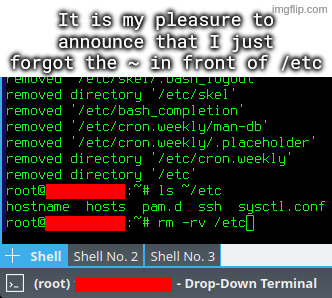
I accidentally untarred archive intended to be extracted in root directory, which among others included some files for /etc directory.
I went on to rm -rv ~/etc, but I quickly typed rm -rv /etc instead, and hit enter, while using a root account.
Thats nothing, on 2 separate occasions i mistyped the parameters for dd and erased my entire hard drive lol.
Last week I started a utility to check if the sectors of a usb drive were damaged. I did not read the big red banner saying that it does so by writing to every sector…
I am still triple checking when I see /dev/sda as a target drive in such utilities. I use NVMe, so nowadays that’s probably a flash drive for me, but it still gives me adrenaline when I notice it.
I usually start typing with # before the command, so that even if i accidently hit enter, it won’t run. After verifying the command enough times, i removes the # and run the command(take command from history if i hit enter)
It’s drive destroyer for a reason.
I think it could use more guard rails. Like if you are flashing a 4gb image to a 256 gb partition. a confirmation dialog?