

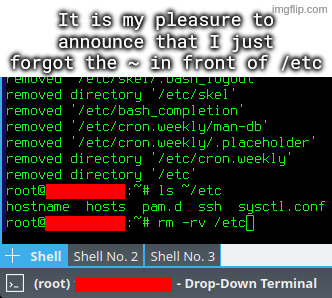
I accidentally untarred archive intended to be extracted in root directory, which among others included some files for /etc directory.
I went on to rm -rv ~/etc, but I quickly typed rm -rv /etc instead, and hit enter, while using a root account.
That’s certainly something you can do! I would personally follow the recommendation against aliasing rm though, either just using the trash tool’s auto complete or a different alias altogether.
Reason being as someone mentioned below: You don’t want to give yourself a false sense of security or complacency with such a dangerous command, especially if you use multiple systems.
I liken it to someone starting to handle weapons more carelessly because the one they have at home is “never loaded.” Better safe than sorry.
Lol we should have “rules of rm safety”:
I think this is the best approach. I’ve created a short alias for my trash tool and also aliased
rmto do nothing except print a warning. This way you train yourself to avoid using it. And if I really need it for some reason I can just type\rm.If you want to train yourself even more effectively you can also alias
rmto runslinstead :)Choo-choo!!
Hehe I just thought of a hilariously nefarious prank: alias ls to sl. 😂
Yeah, there’s no need to alias it. Trash-cli comes with its own
trashcommand.